
Motion graphics vs animation vs filmed video
Character animation tells a story through characters with performances and expressions. Motion graphics focuses on getting information across clearly: a number that grows, steps that appear in order, an app screen that moves. In practice the two mix a lot. In the zed's ads we built a driver character stuck in traffic, then cut to the app's own screens to show how cashing out works.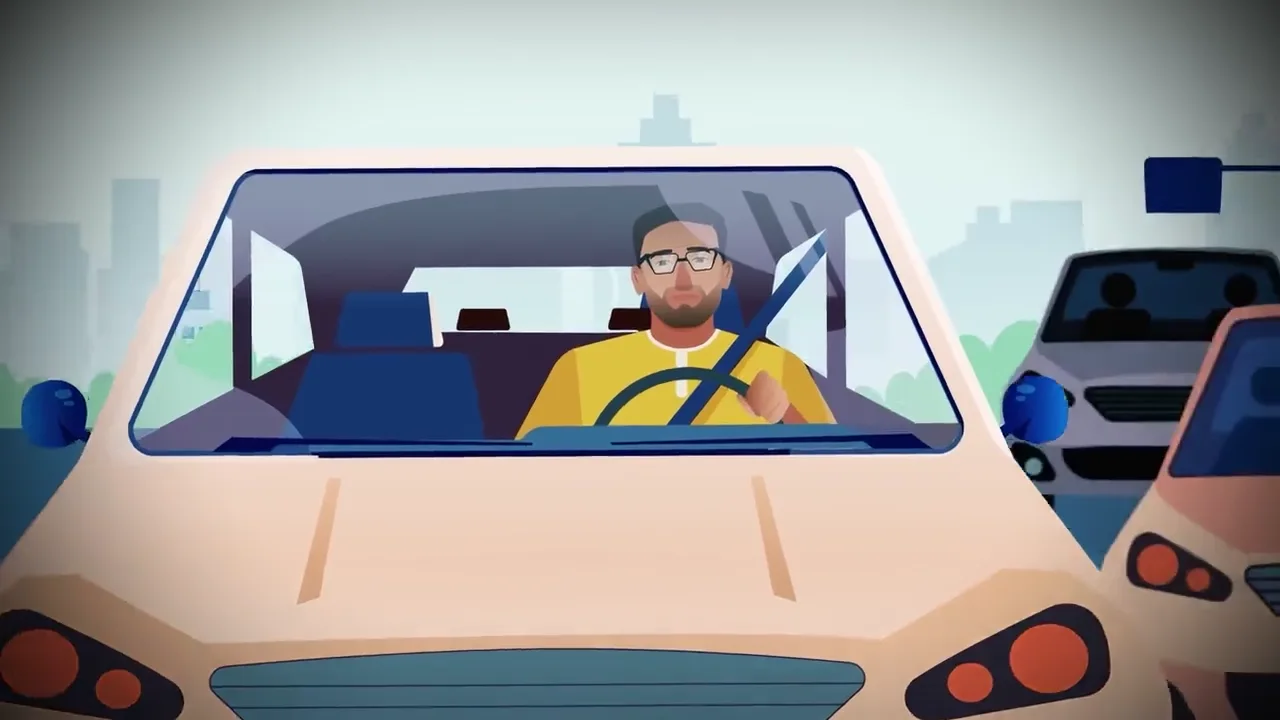
When does a brand need motion graphics?
When the product is hard to film. Payment apps, delivery apps and software look bad on camera: a filmed phone screen reflects light and looks tiny. Drawn, the same screen is large and clear, and every button can be highlighted at the right moment.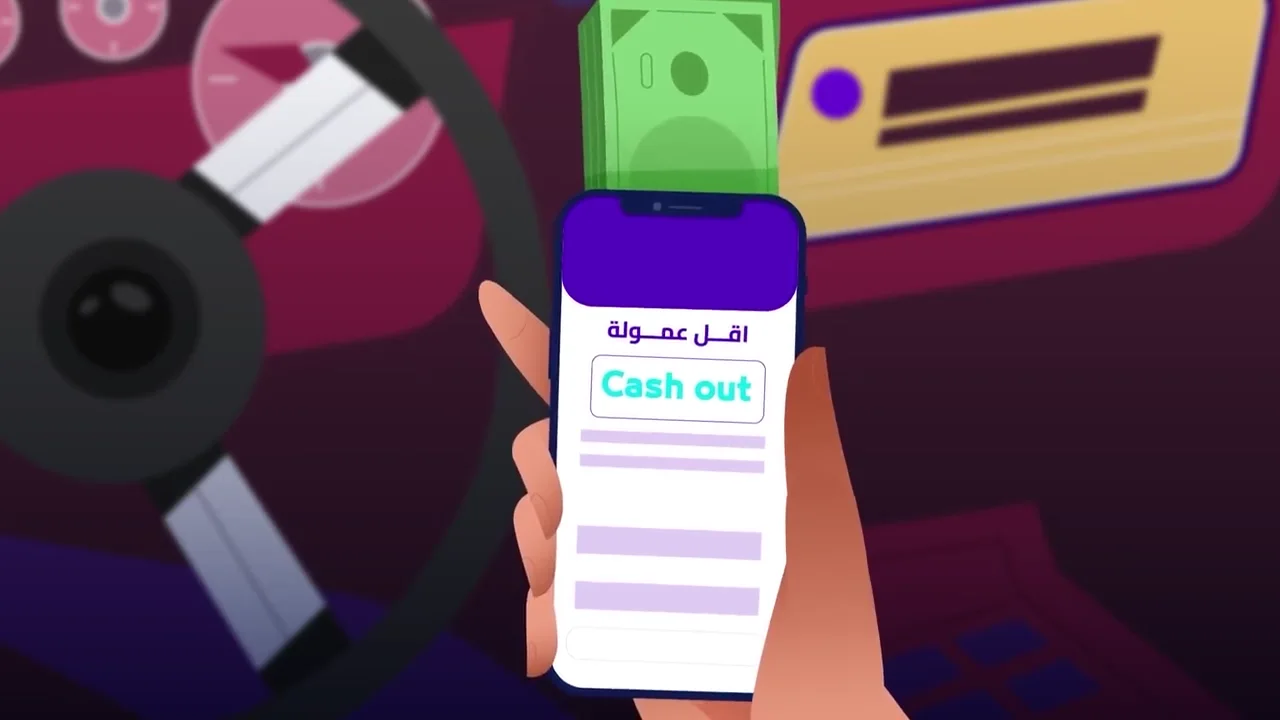
How a motion graphics video is made
1. Script and voice-over. Everything starts with a script timed to the second. A good explainer runs 30 to 90 seconds and says one thing. The voice-over is usually recorded before animation, because its rhythm sets the timing of every movement. 2. Storyboard. Rough drawings of every scene, approved before any animation. Changing a board takes minutes; changing an animated scene can take a day. 3. Style frames. Two or three scenes designed in full, with final colours and type, so you know how the video will look before it is built. 4. Animation. This is where the video is actually made. Then come sound effects, music and the mix; motion graphics without sound design feels unfinished no matter how good the movement is. 5. Review and delivery. Usually two rounds of notes, then final masters in every size you need.
Watch an example: the zed's animated ad
This is one of the animated ads we produced for the zed's app: a driver stuck in traffic, then a cut to the app screens to explain cashing out, then the logo at the end. Notice how each scene carries a single piece of information.Types of motion graphics videos, from explainers to ads
| Type | What it is | Usual length |
|---|---|---|
| Explainer | Explains a product or service step by step | 60 to 90 seconds |
| Kinetic typography | The words themselves move with the voice | 15 to 45 seconds |
| Animated infographic | Numbers and charts that grow and change | 30 to 60 seconds |
| App UI animation | App screens shown in use | 15 to 45 seconds |
| Logo animation | The logo appearing with a signature move | 3 to 8 seconds |
| 3D product | The product rotating, exploding and shown from inside | 15 to 30 seconds |
| Social media ads | Short loops with large titles | 6 to 15 seconds |
How to write a brief for a motion graphics video
A good brief saves half the review time. Send this before anything else:- The one message viewers should remember when the video ends.
- The audience: who they are and what they already know about the product.
- Where it will run and the sizes needed.
- The target length.
- Brand assets: an editable logo, colours and fonts.
- Examples of videos you like, and exactly why you like them.
- If you need a voice-over, and in which language or dialect.
- The deadline, and any fixed date such as a launch or an exhibition.
Common mistakes in motion graphics videos
- Trying to explain every feature in one video, so viewers remember none of them.
- A script written after animation, so whole scenes are re-animated to fit the voice.
- Judging the video from still frames alone, then being surprised by the pacing.
- Forgetting vertical sizes for social media until after delivery.
- Piling on effects and transitions at the expense of a clear message.
What software is used for motion graphics?
The common tools are Adobe After Effects for 2D animation, Illustrator for drawing the elements, Cinema 4D or Blender for 3D, and then editing and audio software for the final assembly. But software doesn't make the video. The real difference is in the script and the timing of the movement, and nobody learns those from one YouTube tutorial.2D or 3D?
2D motion is faster to produce and clearer for explaining, and suits explainers, short ads and infographics. 3D adds depth and the feel of a real product, and suits showing a physical product from every angle or from inside, and big moments at events such as large-screen shows. The question that decides it: does the viewer need to see the product, or to understand the idea?Sound is half of motion graphics
A good motion video starts with the voice-over, and the movement is built on its rhythm. Small sound effects, a button click or a number appearing, add a sense of motion the picture alone cannot. If the video runs on social media, add on-screen text, because many people watch without sound. We wrote about choosing a voice and writing the script in our voice-over article.What sets the price of motion graphics?
There is no fixed price per minute, because a minute of simple icons is nothing like a minute of 3D characters. The main factors are the length in seconds, the style (2D or 3D), whether characters move and talk, the voice-over and languages, and the number of sizes and versions. The cheapest way is to settle all of that before starting, because adding a language or a format after delivery costs more than planning for it. On timing, a 30 to 60-second explainer usually takes two to three weeks from script to delivery; 3D work takes longer.A short history: from film titles to TikTok
Motion graphics started in cinema. In the 1950s, designers like Saul Bass turned opening titles into short animated pieces, with paper shapes and type moving in time to the music. John Whitney used mechanical and early computer techniques to animate abstract patterns, and is often credited with helping define the term. For decades the work stayed in film titles and TV channel idents, because it needed expensive equipment. Desktop software changed that in the 1990s and 2000s, and social media changed it again. Today the same craft that made film titles makes a 15-second story on Instagram, the lower third under a speaker, and the explainer on an app landing page.Explainer videos: the most common motion graphics format
An explainer video answers one question: what does this product or service do for me? Most good explainers follow the same structure:- The problem, stated the way the customer would say it.
- The product as the solution, in one sentence.
- How it works, in three steps at most.
- Proof: a number, a client, a result.
- A clear next step.
Motion graphics for social media: formats and lengths
Social platforms reward videos that are made for them. Vertical 9:16 for Reels, TikTok and Stories, 4:5 or 1:1 for the feed. The first second has to show something moving and on-brand, because most people decide to stay or scroll before the logo would normally appear. Text has to be large enough to read on a phone and stay on screen long enough to read, and since many people watch without sound, the message should work with captions alone. For a campaign, it is cheaper to design one system (colours, type, transitions, a set of animated elements) and produce many short videos from it than to make each video from scratch.Kinetic typography: when the words are the visuals
Kinetic typography is motion graphics built mainly from animated text. It works for quotes, announcements, offers and lyric videos, and it is fast to produce because there is little illustration. The risk is too much text: if the viewer has to read a paragraph, it is no longer motion graphics, it is a slide.Motion graphics in commercials and events
A lot of motion graphics is invisible as a separate video. In commercials it appears as the animated product name, price tags, legal lines and the end frame with the logo. At events it runs on the screens: the opening sting, speaker name cards, section titles and the countdown before the main reveal. We have designed 3D animated elements for event screens and a 3D projection on a stadium pitch, where the content had to be built for the exact size and angle of the surface.Arabic motion graphics: details that are easy to get wrong
Arabic reads right to left, and the animation should follow: text that slides in from the left, progress bars that fill left to right, and arrows pointing the wrong way all feel slightly off to an Arabic viewer even if they cannot say why. Arabic letters also join, so animating a word letter by letter, a common English effect, can break the word visually. Good Arabic fonts for screen are fewer than Latin ones, and many look thin at small sizes, so the type has to be tested on a phone. Numbers are another decision: Western digits (1, 2, 3) are used widely in Egypt and the Gulf in digital content, but some brands prefer Arabic-Indic digits, and the choice should be the same across the whole campaign. For bilingual campaigns, we design the Arabic and English versions together from the start, rather than flipping the English one, so both feel native.Style frames and storyboards: approving before animation
Animation is the expensive part, so everything is approved before it starts. A storyboard shows the sequence of scenes with the voice-over under each one. Style frames are a few finished still frames that show exactly how the video will look: colours, fonts, illustration style. Once both are approved, changes to the look cost little. Changing the style after animation has started means redoing work.Choosing a motion graphics style
The style should follow the message and the audience, not the latest trend. Flat 2D is clean, fast to produce and easy to update, and it suits apps, services and data. Character animation builds warmth and works for stories and younger audiences, but takes longer. Isometric illustration explains systems and processes well. 3D suits physical products, architecture and anything that needs to be seen from every angle. Mixed media, animated graphics over filmed footage, keeps real people and places on screen while explaining what the camera cannot show. Ask to see two or three style frames in different directions before choosing.Writing the voice-over for an animated video
In motion graphics the voice-over usually comes first and the animation is timed to it, so the script is recorded before animation starts. Write it to be heard: short sentences, one idea each, and numbers said the way people say them. Read it aloud with a stopwatch before approving it. Leave small pauses where the visuals need time to land, and do not describe what the viewer can already see on screen. If the video will run in Arabic and English, write both scripts together, since a direct translation rarely fits the same timing.The team behind a motion graphics video
A small piece can be made by one designer who animates. A campaign usually needs a scriptwriter, an illustrator or designer for the style frames, one or more animators, a 3D artist if there is 3D, a voice artist, and a sound designer for music and effects. A producer keeps the schedule and the feedback in one place. Knowing who does what helps you understand a quote, and why changing the script late affects everyone after it.Motion graphics on a smaller budget
Good motion graphics does not have to be expensive. Keep the script short, since every second is animated. Use fewer scenes, and let each one stay on screen longer. Choose a flat 2D style over detailed illustration or 3D. Build a small kit of reusable elements (icons, transitions, the end frame) that later videos can use. Use licensed library music instead of a custom track. What you should not cut is the script and the voice-over, since they carry the message.Logo animation: the smallest motion graphics project
A logo animation is two to five seconds, and it appears at the end of every ad, the start of every YouTube video and on event screens between segments, so it is seen more often than any other animation a brand owns. It should feel like the brand: a calm reveal for a bank, something quicker for a youth brand. Ask for versions with and without sound, a short and a long one, and a transparent version that can sit over footage.Captions, contrast and safe motion
A motion graphics video should work for everyone. Add captions, since many people watch muted and some cannot hear. Keep strong contrast between text and background, especially on phones in daylight. Leave text on screen long enough to read twice. Avoid fast flashing: accessibility guidelines advise no more than three flashes per second, because rapid flashing can trigger seizures in people with photosensitive epilepsy.How to tell if a motion graphics video worked
Look at the numbers the video was made to move. On social media, watch how many people stay past the first three seconds and what share watch to the end; a big drop in the first seconds means the opening needs work. On a landing page, compare sign-ups or leads before and after adding the video. For ads, test two or three different openings of the same video and keep the one that performs. A video that people finish but do not act on usually needs a clearer final call to action.Delivery formats: what to ask for
Ask for the files you will actually use. MP4 in H.264 for social media and websites, in every aspect ratio you need. A high-quality master (usually ProRes) for TV and for future edits. Versions with a transparent background for event screens or to place over footage. Lightweight animations (such as Lottie files) for apps and websites if the video is part of a product interface. And the project files, if your contract says you own them.Motion graphics FAQ
What does motion graphics mean?
Literally "graphics in motion": graphic design that moves in time with sound or music, to explain an idea, present a product or add titles and graphics to filmed video.Is motion graphics cheaper than filming?
Not always. Simple 2D motion is usually cheaper than a full shoot day, but detailed 3D or full character animation can cost more than a simple shoot. Compare on the message, not on price alone.How long should a motion graphics video be?
For social media ads, 15 to 30 seconds. For explainers on a website or YouTube, 60 to 90 seconds. Anything longer needs a strong reason, because viewers leave long videos before they reach your point.Can motion graphics be combined with filmed footage?
Yes, and it is very common: titles and prices over filmed shots, or an ad that opens on real footage and cuts to an animated explanation. The zed's campaign started with animated ads and then moved to a filmed commercial with its own song.Can a motion graphics video be edited after delivery?
Yes. Changing a line, a number or adding a language is far easier than reshooting a filmed video, as long as the open project files are kept. Ask for that explicitly in the agreement.Do I need a voice-over in a motion graphics video?
For explainers, usually yes, because it leads understanding. Short social media ads can often work with on-screen text and music alone.How long does it take to make a motion graphics video?
A 30 to 60 second video usually takes two to four weeks from brief to delivery: script and storyboard, style frames, animation, then sound. Simple social media pieces from an existing style can be much faster.Can you make Arabic and English versions of the same video?
Yes. We design both together so the Arabic version reads right to left properly, and record a native voice for each language.EPH's production team in Cairo: commercials, events, photo and sound studios. We write here about what we learn on set.


 Shineray X30 — On set
 zed's — Making of the commercial
 Red Bull — Behind the scenes
 Republican People's Party — Iftar build
 Golden Beach Resort — Behind the scenes
 zed's — Recording the ad song
 Shineray — Five locations in one day
 Republican People's Party — Sports final build
 Conference night — The build
 Republican People's Party — Making of the song
 ECSSR — At the stand
 Shineray — Studio setup
 Startup Power — Summit build
 Social media — Studio shoot at EPH
 Republican People's Party — Hurghada Forum
 Wadi Degla — Fashion session